Admin Update - Visuals, Vehicles & Minor Tweaks
We’ve been working away at some backend functions this past month, these updates are all related to admin functions and operators will not be impacted by changes.
We have some upcoming changes listed at the bottom that will have an impact for all users, so please make sure you have read through and are prepared!
Vehicles Page (including Tare Weight expiries)
We’ve added a new vehicles page, that allows you to search up any vehicle in the system.
You can also see all tare weights in a list, including the new start date and expired date fields.
Setting a start date means the tare weight won’t be usable until that date.
Setting an expired date is used to just inform an admin that the tare weight is expired - there is no impact on an Operator’s use at this stage, and this date is just an administrative function to show the tare weight needs to be updated.

Company + Users Page
These pages have had a minor visual update to match our newer styling - they were still running with our original style!


Rejected Loads Page
Some minor visual updates, including adding the deleted date on the main list.
Can now filter by specific user.
Vouchers Page
We’ve sped up the voucher search significantly.
Some minor visual changes through the page.
Payment Reconciliations
Warnings have been toned down/removed so they aren’t as invasive.
You can now filter by clicking on the summary tiles at the top of the page (ie Unreconciled, reconciled days).
You now need to have the Delete module on your user to remove payment reconciliations.
Compliance Reporting
Minor updates to the page visuals.
You can no longer generate a new report for an already reported period - instead you need to ‘regenerate’ that report, which will show you a history of that reporting period. The status of the previous report is changed to reflect that it has been updated, and the new report will become the latest version.
You can now set a report to be submitted, which shows the report has been sent off.
Stockpiles
For waste combinations that can go to multiple stockpiles, there is now a priority list so a default can be selected.
Better identification of a manual adjustment vs load adjustment on the stockpile page.
Coming Up Soon
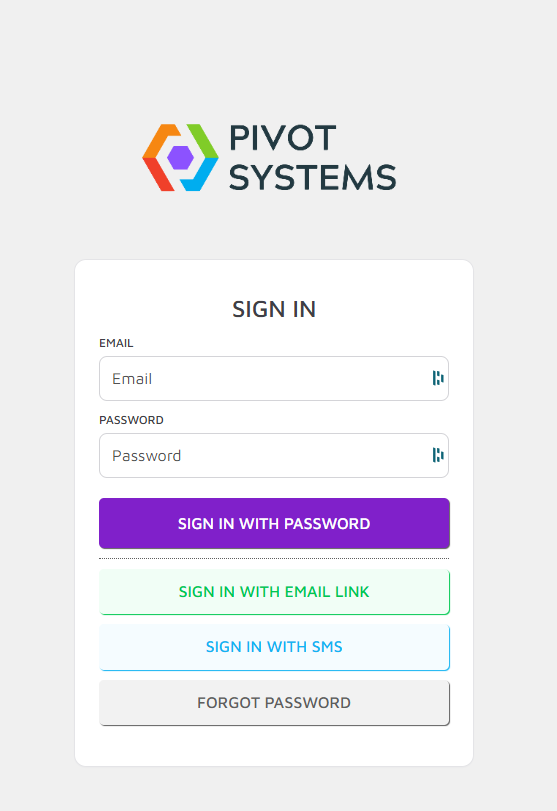
New Login/Password options for users (these are all optional);
User can reset their own password from the login page.
Password-less login methods;
If a user has their mobile number added to their User account, they can opt to type in their mobile number and receive a code to login instead of using an email/password. This is a secure alternative to using a password as only the user has access to their phone.
User can receive a link to their email, when clicked will log them in. This is a secure alternative to using a password as only the user can access their emails.
Load search on weighbridge page for Operators
Operators will be able to search through loads for the sites they have access to.
This allows Operators to quickly pull up old loads when required (ie a customer returns to query a past load).
Operators must have the module turned on for this to be visible!

Card integration (Linkly)
Allowing us to send transactions straight to a Card terminal so the Operator doesn’t have to manually type in a transaction. We are currently in the final stages of this and will detail it shortly.
Settings Page access for Admins
Allowing the ability to create waste combinations, charges and other settings that currently have to go through PIVOT Support.