Tasks & Forms, Visual Updates + Upcoming Knowledgebase
This one is a big one! We’re finally ready to start the launch of the new Tasks & Forms functionality. We’ll be rolling it out in stages over the next few weeks, starting with the new Task Bar detailed below. This will then be followed by the new Task and Form editors, and finally the full Forms rollout for both Admins and Operators.
Tasks & Forms Overview
Forms allow you to build completely custom, fillable forms that can be used throughout PIVOT and link to all kinds of data (ie Loads, customers, vehicles). For example you can;
Digitise your site forms such as;
Site checks/compliance forms, including the ability to upload files and images.
Stationary orders and uniform requests that then require approval from an admin user.
Any other general use forms that users require.
Forms linked to specific Waste combinations, such as prescribed waste, that would require the operator to fill it out each time this kind of waste is added to a load.
As an extension, when combined with reoccurring/scheduled tasks, you can schedule these forms to be completed by users on certain days. For example, if you have a daily site checklist form, this can be scheduled on the operating days of a certain site. Any user working on the site that day will be able to see and complete this form.
You can also specify whether you just need 1 response (ie just one daily site checklist required), or if you want all users to respond (ie each user needs to complete their own checklist). All of these responses are then viewable in the new Tasks section.
Task Bar
The new task bar is now live, and slides out from the right side of the screen.
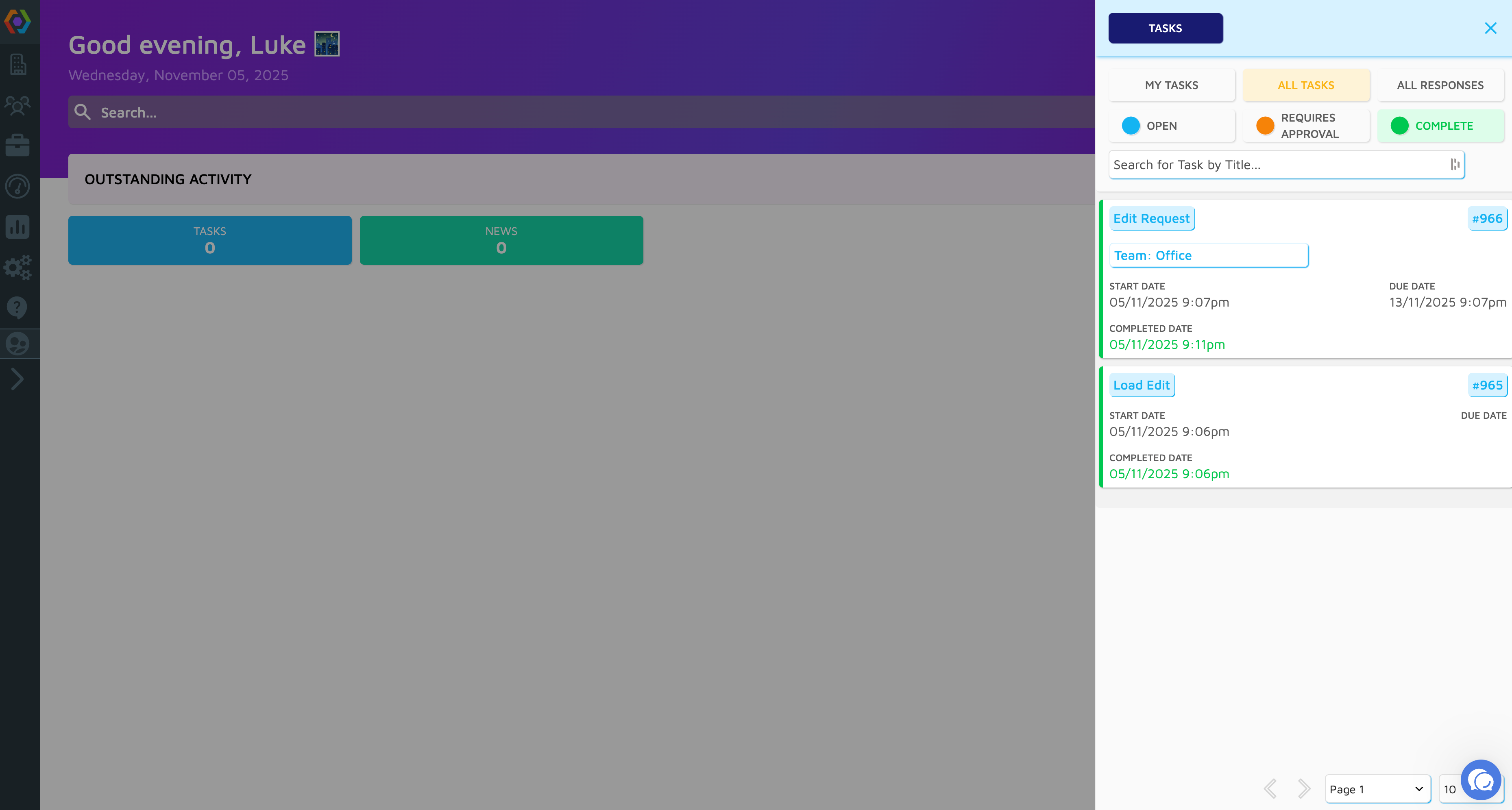
As an admin, you can see;
Your own tasks
Any task that is assigned to you, such as an Edit Request.
All tasks
All tasks in PIVOT, even if they aren’t assigned to you. Allowing you to quickly search the details of any task and see what’s outstanding.
All responses
All responses, which allow you to see specific submissions from users.
When turned on for Operators, they will also see a view of their tasks along with tasks that are assigned to their Team or Site only. This is completely optional, and does not need to be enabled for Operators.
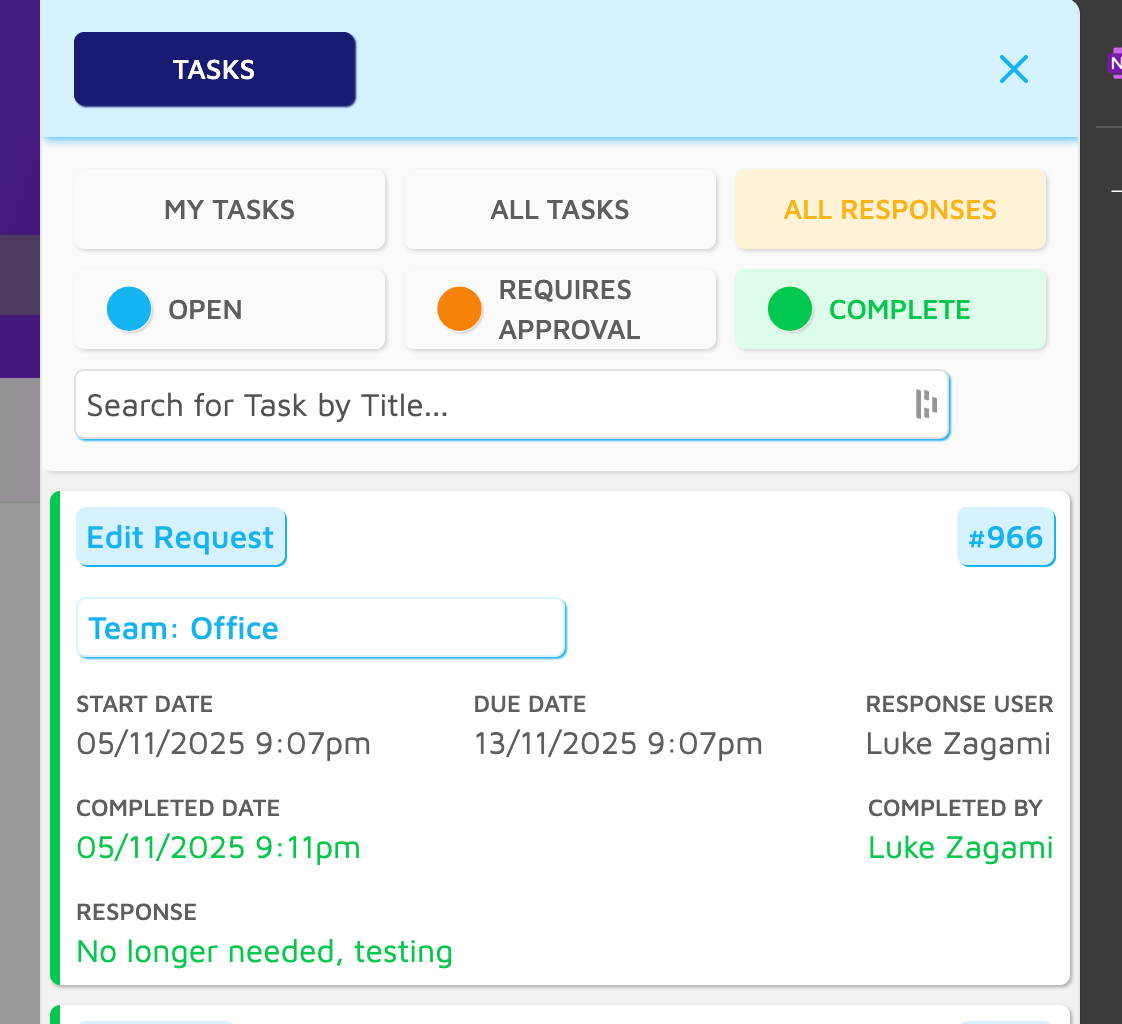
Edit Requests
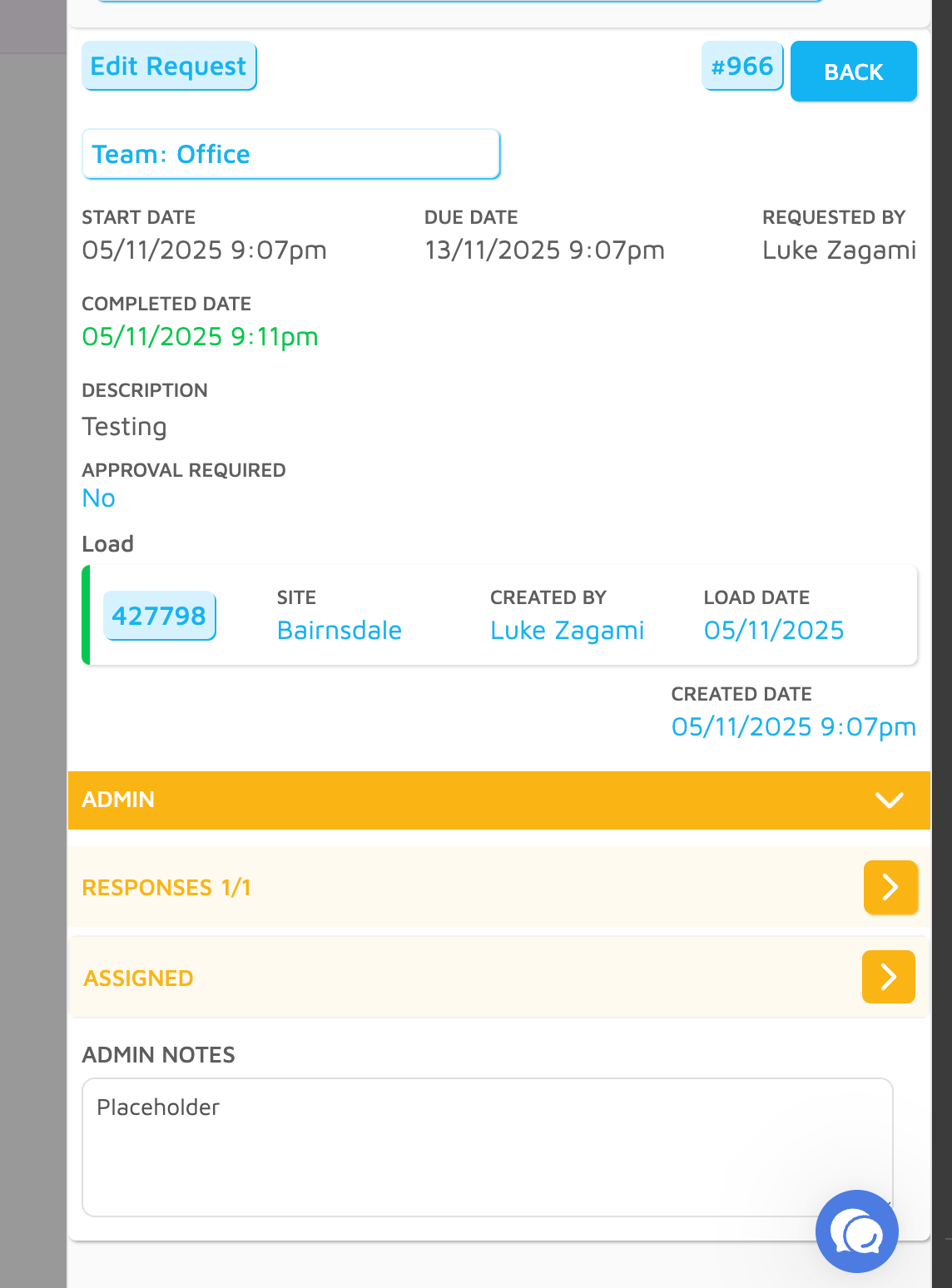
Edit requests still function the same as before, however you now complete the Edit by clicking on the Load details (shown below) which will open up the load for completion.
Additionally, you can now add in Admin Notes against a task, which allows you to add information to the task without completing it. For example, if you require some more information to complete the edit, you can note down the what/why here which is visible to all Admins. These notes are not visible to Operators.
Voucher Page Visual Updates
Voucher page has been updated to separate the Vouchers and Templates into separate tabs, so now the main view is just the voucher search which is the primary use of this page!

Accounts Page Visual Updates
Accounts page has been updated to our new styling, instead of showing all draft and approved invoices together they are now separated by status. This gives a much cleaner layout for both invoices and batches!
We’ll soon be introducing Customer Name, Number and Invoice Number filters so you can easily search specific invoices.

Upcoming Knowledgebase
Over the coming weeks we’ll be launching our Knowledgebase - this details the specific features and functionality available to use within PIVOT. This will give users a place to explore all our service has to offer, along with detailed instructions on how to use it!
We’re starting with our core feature set, but will be updating it over time to include all of our functionality. As we roll out new features, it will be an important place to find every detail on what has been added!
That’s all for now - as always, please reach out if you have any queries!