Company & Vehicle Flags + Other additions
It’s update time again! This week we are introducing flags, which shows a flagged message to Operators when they are adding in loads linked to a company or vehicle. This allows any kind of message to show, whether it be instructions requested by a customer or notes on a vehicle. Further details below!
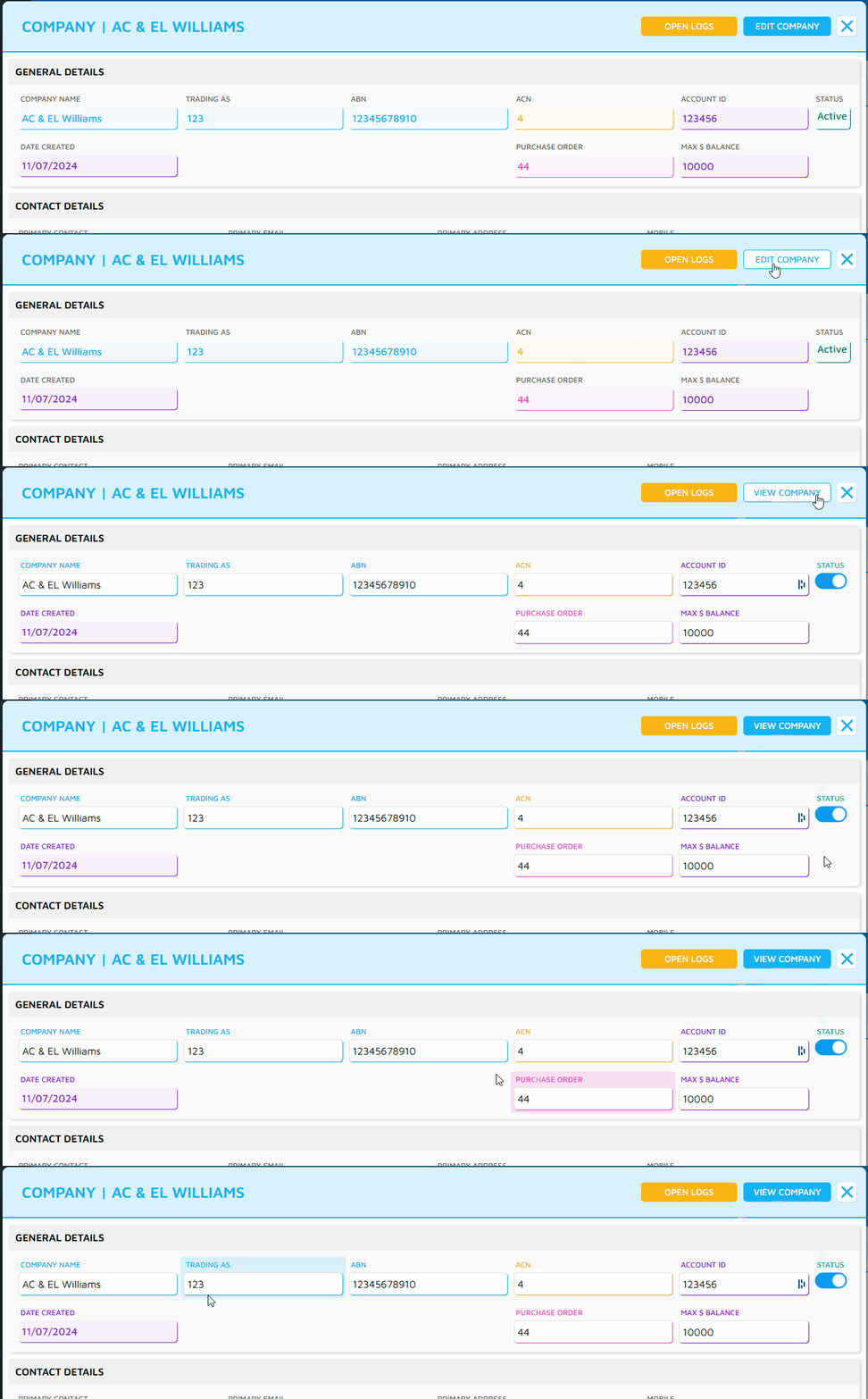
We’ve also added a View mode to the Company and User popup - this means that by default, these popups will show in View mode, and you need to click the edit button to unlock any fields. This stops any mistaken changes from being made!
Flags
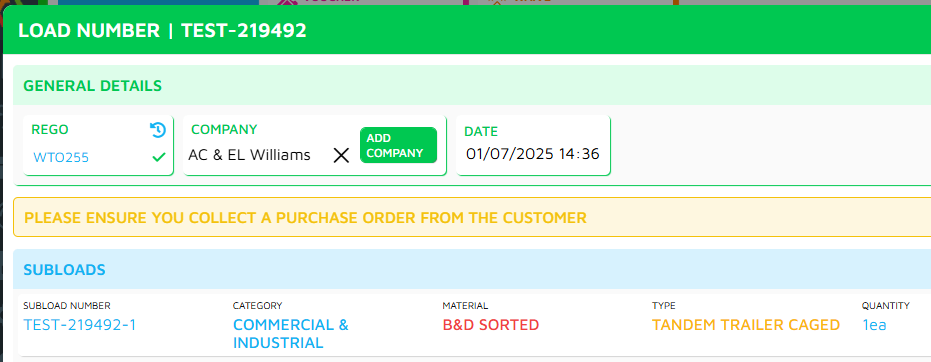
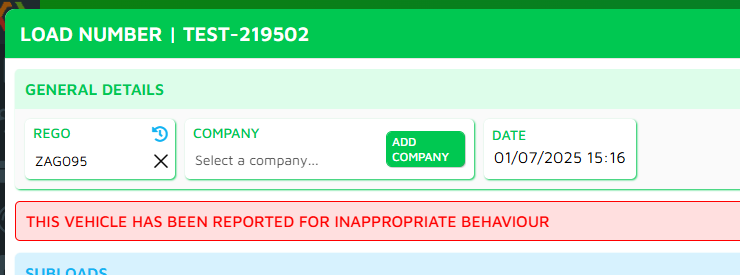
You can now add flags to Vehicles and Companies, that will show up in Add Load when you select them.
We have 3 combinations for displaying flags to Operators:
Vehicle - this flag will show up whenever this vehicle is selected.
Company - this flag will show up whenever this company is selected.
Vehicle & Company - this flag shows up when a specific Vehicle & Company is selected;
For example, Vehicle A is on both Company B and Company C
In Vehicle A settings, you can specify that you want a flag to show up just for Company C. This will now only show for this combination of vehicle/company.
Vehicle A and Company B will not show any flags.
You can have multiple flags showing at once if required, they will just show as a list!
Setting up Flags
Vehicle Flags - Can be added in the vehicle popup, under the new Flags section.
Company Flags - Can be added in the company popup, under the new Flags section.
Vehicle & Company Flags - can be added in the vehicle popup, under the new Flags section. You must then select the correct company from the list.
Minor Updates
We’ve added in a Submit button on the Victorian EPA Report, which will record a submitted user and date to identify when it was sent to EPA.
In Payment Reconciliations, if the payment refund you are looking at is different to the original payment (ie Cash refund on a card payment), the original payment will now show as well instead of just the refund for reference.
That’s all for this update! As always, please let us know if you have any feedback.