Releases

Follow new updates and improvements to PIVOT Systems.

January 21st, 2026

Improved

Fixed

Happy New Year from the PIVOT team!

Tonight’s update is our first of 2026 - the start of many to come.

Our User Modules selector has had a makeover - it was a little hard to manage our increasing list of modules in the old one. Now it’s just a simple list, in alphabetical order, with an added description to explain the module a little more.

We’ve also made a number of bug fixes, including:

  • Edit Request popup could be closed without pressing Cancel or Complete buttons, which meant Edit Request’s weren’t being created.

  • Organisation name on the receipt no longer cuts off if it is too long.

  • Company names can now have special characters (except for commas).

  • Timecards with allowances can now be deleted properly.

  • Creating a Stockpile Alert would sometimes cause an error.

We’re also very close to our long awaited (and delayed) Forms functionality, which allows you to create fillable forms throughout PIVOT! We’ll have more details on this next week, along with what’s next for development.

As always, please reach out if you have any queries.

November 5th, 2025

New

Improved

This one is a big one! We’re finally ready to start the launch of the new Tasks & Forms functionality. We’ll be rolling it out in stages over the next few weeks, starting with the new Task Bar detailed below. This will then be followed by the new Task and Form editors, and finally the full Forms rollout for both Admins and Operators.

Tasks & Forms Overview

Forms allow you to build completely custom, fillable forms that can be used throughout PIVOT and link to all kinds of data (ie Loads, customers, vehicles). For example you can;

  • Digitise your site forms such as;

    • Site checks/compliance forms, including the ability to upload files and images.

    • Stationary orders and uniform requests that then require approval from an admin user.

    • Any other general use forms that users require.

  • Forms linked to specific Waste combinations, such as prescribed waste, that would require the operator to fill it out each time this kind of waste is added to a load.

As an extension, when combined with reoccurring/scheduled tasks, you can schedule these forms to be completed by users on certain days. For example, if you have a daily site checklist form, this can be scheduled on the operating days of a certain site. Any user working on the site that day will be able to see and complete this form.

You can also specify whether you just need 1 response (ie just one daily site checklist required), or if you want all users to respond (ie each user needs to complete their own checklist). All of these responses are then viewable in the new Tasks section.

Task Bar

The new task bar is now live, and slides out from the right side of the screen.

  • As an admin, you can see;

    • Your own tasks

      • Any task that is assigned to you, such as an Edit Request.

    • All tasks

      • All tasks in PIVOT, even if they aren’t assigned to you. Allowing you to quickly search the details of any task and see what’s outstanding.

    • All responses

      • All responses, which allow you to see specific submissions from users.

  • When turned on for Operators, they will also see a view of their tasks along with tasks that are assigned to their Team or Site only. This is completely optional, and does not need to be enabled for Operators.

Edit Requests

Edit requests still function the same as before, however you now complete the Edit by clicking on the Load details (shown below) which will open up the load for completion.

Additionally, you can now add in Admin Notes against a task, which allows you to add information to the task without completing it. For example, if you require some more information to complete the edit, you can note down the what/why here which is visible to all Admins. These notes are not visible to Operators.

  • Voucher Page Visual Updates

    • Voucher page has been updated to separate the Vouchers and Templates into separate tabs, so now the main view is just the voucher search which is the primary use of this page!

  • Accounts Page Visual Updates

    • Accounts page has been updated to our new styling, instead of showing all draft and approved invoices together they are now separated by status. This gives a much cleaner layout for both invoices and batches!

    • We’ll soon be introducing Customer Name, Number and Invoice Number filters so you can easily search specific invoices.

Upcoming Knowledgebase

Over the coming weeks we’ll be launching our Knowledgebase - this details the specific features and functionality available to use within PIVOT. This will give users a place to explore all our service has to offer, along with detailed instructions on how to use it!

We’re starting with our core feature set, but will be updating it over time to include all of our functionality. As we roll out new features, it will be an important place to find every detail on what has been added!

That’s all for now - as always, please reach out if you have any queries!

September 12th, 2025

New

Improved

Stockpile Alerts

You can now setup Alerts on stockpiles to notify you when a certain threshold has been hit. Multiple Alerts can be setup per Stockpile, per User. For example:

  • John gets alerts at 60%, 70% and 80% used capacity.

  • Diane gets alerts at just 80% used capacity.

2 Factor Authentication (2FA)

You will soon be able to optionally enforce 2FA for your users, which means they are required to use a second method to login when accessing PIVOT. They can setup an SMS code or Authenticator app like Microsoft Authenticator, Google Authenticator or Authy.

If you would like this enforced for your organisation, please reach out and we can assist!

Tasks & Forms (Sneak Peak)

The past few months we’ve been working away at our new Tasks & Forms system;

  • Tasks build on the existing task system for Edit Requests - now you can build tasks for anything and schedule them for completion (daily, weekly, monthly or annually!).

  • Forms are fully customisable, fillable documents that are used throughout PIVOT. They can be attached to Loads, Sites, Vehicles and Companies and are designed to be fully flexible.

  • Forms can be filled out from the new Task/Forms popup (shown below) and when coupled with a task, can be scheduled automatically for specific Users, Sites or Teams. This allows for regular forms (such as Daily site checks) to show as a required task each day, prompting users to complete it.

  • Admins have the new forms page that allows you to build/modify existing forms and view submissions from all users, offering a centralised area to access all forms. They can also be exported to PDF or CSV for external use.

We’re aiming to launch this at the end of the month - stay tuned! As always, please reach out if you have any queries.

July 8th, 2025

New

Improved

It’s update time again! This week we are introducing flags, which shows a flagged message to Operators when they are adding in loads linked to a company or vehicle. This allows any kind of message to show, whether it be instructions requested by a customer or notes on a vehicle. Further details below!

We’ve also added a View mode to the Company and User popup - this means that by default, these popups will show in View mode, and you need to click the edit button to unlock any fields. This stops any mistaken changes from being made!

Flags

You can now add flags to Vehicles and Companies, that will show up in Add Load when you select them.

We have 3 combinations for displaying flags to Operators:

  • Vehicle - this flag will show up whenever this vehicle is selected.

  • Company - this flag will show up whenever this company is selected.

  • Vehicle & Company - this flag shows up when a specific Vehicle & Company is selected;

    • For example, Vehicle A is on both Company B and Company C

    • In Vehicle A settings, you can specify that you want a flag to show up just for Company C. This will now only show for this combination of vehicle/company.

    • Vehicle A and Company B will not show any flags.

You can have multiple flags showing at once if required, they will just show as a list!


Setting up Flags

  • Vehicle Flags - Can be added in the vehicle popup, under the new Flags section.

  • Company Flags - Can be added in the company popup, under the new Flags section.

  • Vehicle & Company Flags - can be added in the vehicle popup, under the new Flags section. You must then select the correct company from the list.

Minor Updates

  • We’ve added in a Submit button on the Victorian EPA Report, which will record a submitted user and date to identify when it was sent to EPA.

  • In Payment Reconciliations, if the payment refund you are looking at is different to the original payment (ie Cash refund on a card payment), the original payment will now show as well instead of just the refund for reference.

That’s all for this update! As always, please let us know if you have any feedback.


June 19th, 2025

New

Improved

Next week we are launching our new sign in options (alongside the classic username/password combination) and the ability for a user to reset their own password.

Please note these new sign in methods are all optional, and users can continue using their existing username/password as normal.

Sign in with Email Link

  • Users can now login by entering their email address, and instead of entering a password they will receive a ‘Magic Link’ via email that when clicked will then log them in.

Sign in with SMS

  • Users can now login by entering their mobile number instead of their email address, which sends them an authentication code to login.

  • The user must have the mobile number added to their PIVOT account before use, which an Admin can do via the User page.

Sign in with Microsoft (Microsoft 365 Work Accounts Only)

  • For organisations who use Microsoft 365, you will now be able to authenticate using your work account.

  • The user’s email must match the users account email in PIVOT, and they must already be added in to PIVOT as a user to login.

  • Note that personal Microsoft accounts are not able to use this service.

User Self-service password reset

  • In the instances where a user has forgotten their password, they can now go through the process of resetting it themselves via email.

  • The user will receive a link that then takes them to a new page to reset their password.

Please let your users know this change is incoming. If you have any queries please reach out to us!

June 16th, 2025

Improved

Fixed

We’re pushing a minor update tomorrow night (Wednesday 18/6) with the below changes;

  • When adding a payment not on the load date (ie the following day), it will now default to the load date instead of the added date.

  • In Timecards, if a user was archived but still attached to the Pay Group they would show in the list of users. Now they will no longer show once they are archived.

  • Updated the Archive user button in the User popup to include a warning that they will be removed from any groups they are on.

  • Voucher Search dates can now be set to default values instead of just the past 12 months.

As always please reach out if you have any queries!

May 13th, 2025

New

Improved

We’ve been working away at some backend functions this past month, these updates are all related to admin functions and operators will not be impacted by changes.

We have some upcoming changes listed at the bottom that will have an impact for all users, so please make sure you have read through and are prepared!

Vehicles Page (including Tare Weight expiries)

  • We’ve added a new vehicles page, that allows you to search up any vehicle in the system.

  • You can also see all tare weights in a list, including the new start date and expired date fields.

    • Setting a start date means the tare weight won’t be usable until that date.

    • Setting an expired date is used to just inform an admin that the tare weight is expired - there is no impact on an Operator’s use at this stage, and this date is just an administrative function to show the tare weight needs to be updated.

Company + Users Page

  • These pages have had a minor visual update to match our newer styling - they were still running with our original style!

Rejected Loads Page

  • Some minor visual updates, including adding the deleted date on the main list.

  • Can now filter by specific user.

Vouchers Page

  • We’ve sped up the voucher search significantly.

  • Some minor visual changes through the page.

Payment Reconciliations

  • Warnings have been toned down/removed so they aren’t as invasive.

  • You can now filter by clicking on the summary tiles at the top of the page (ie Unreconciled, reconciled days).

  • You now need to have the Delete module on your user to remove payment reconciliations.

Compliance Reporting

  • Minor updates to the page visuals.

  • You can no longer generate a new report for an already reported period - instead you need to ‘regenerate’ that report, which will show you a history of that reporting period. The status of the previous report is changed to reflect that it has been updated, and the new report will become the latest version.

  • You can now set a report to be submitted, which shows the report has been sent off.

Stockpiles

  • For waste combinations that can go to multiple stockpiles, there is now a priority list so a default can be selected.

  • Better identification of a manual adjustment vs load adjustment on the stockpile page.

Coming Up Soon

  • New Login/Password options for users (these are all optional);

    • User can reset their own password from the login page.

    • Password-less login methods;

      • If a user has their mobile number added to their User account, they can opt to type in their mobile number and receive a code to login instead of using an email/password. This is a secure alternative to using a password as only the user has access to their phone.

      • User can receive a link to their email, when clicked will log them in. This is a secure alternative to using a password as only the user can access their emails.

  • Load search on weighbridge page for Operators

    • Operators will be able to search through loads for the sites they have access to.

    • This allows Operators to quickly pull up old loads when required (ie a customer returns to query a past load).

    • Operators must have the module turned on for this to be visible!

  • Card integration (Linkly)

    • Allowing us to send transactions straight to a Card terminal so the Operator doesn’t have to manually type in a transaction. We are currently in the final stages of this and will detail it shortly.

  • Settings Page access for Admins

    • Allowing the ability to create waste combinations, charges and other settings that currently have to go through PIVOT Support.

April 1st, 2025

New

Improved

Fixed

We’ve been working away on some great new features below that will be live in tonight’s update! There’s a fair bit in this one (our last feature update was in Feb) so please take a look through.

You’ll also see some notes at the end for what’s coming up over the next few weeks.

Stockpile Management

We’ve got our first version of stockpiles ready to go! In this release, we’ve added:

  • Ability to create stockpiles, assign materials to them and then track quantity, tonnage and/or cubic meters.

  • Link waste combinations to stockpiles so they will automatically add to stockpiles as loads are entered.

  • Allowing the manual adjustment of stockpiles, for auditing or instances where a stockpile total needs to be changed.

  • Super detailed logs to record all changes, both from loads and manual adjustments.

We’ll begin reaching out to each organisation individually to roll this out over the coming weeks.

QLD Levy Calculations

For QLD based sites, you can now add QLD levy calculations to your waste combinations. This includes;

  • Adding the relevant waste stream, exemptions, waste classes and material codes to waste combinations.

  • Ability to use deemed weights when weighbridge is unavailable.

  • Ability for operator to select between options if required (shown below - if only 1 option, it will not display for the operator and be automatically set).

Other Updates and Bug Fixes

  • FIXED: In very rare instances, the total charge would not update if the quantity was changed without refreshing the page.

  • FIXED: Some new users couldn’t access the timecard page as the pay schedule wasn’t being added correctly.

  • User popup in the Users page now has detailed logs so you can see who has updated a specific user.

  • Payment Reconciliation page now only displays the total values for each day, instead of pulling in individual payments and then displaying them all. This speeds up the loading of the search and allows for more days to display at the same time!

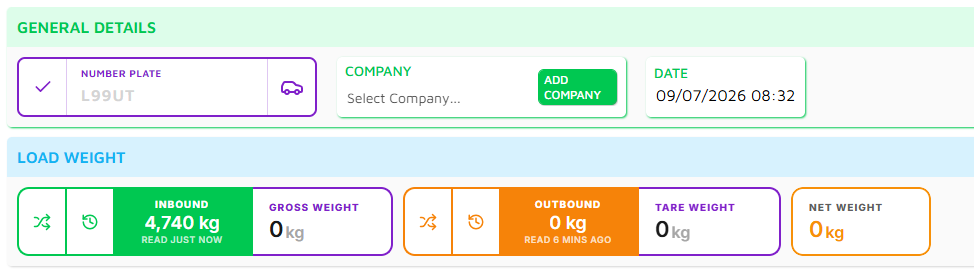
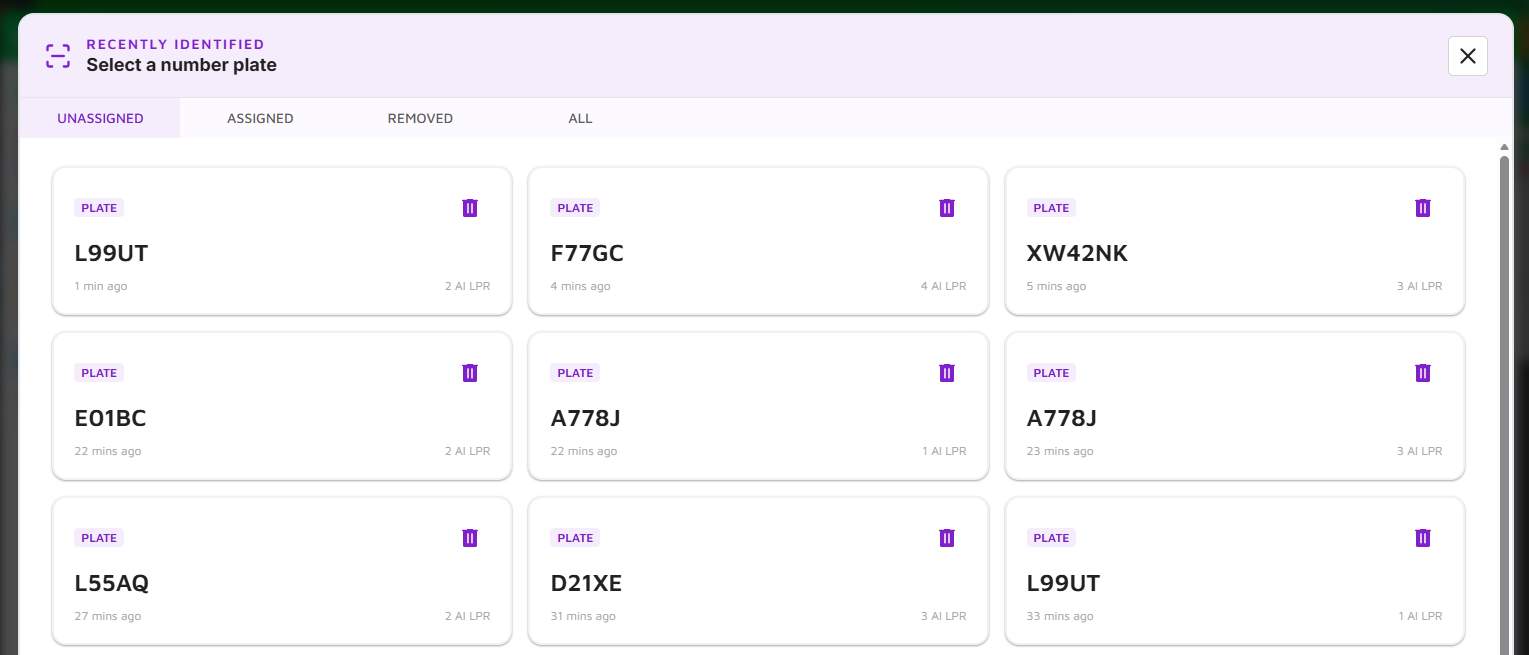
  • We’ve also been testing our weighbridge scale and vehicle rego recognition solutions with success!

Coming Up Next

  • New Login/Password options for users (these are all optional);

    • User can reset their own password from the login page.

    • Password-less login methods;

      • If a user has their mobile number added to their User account, they can opt to type in their mobile number and receive a code to login instead of using an email/password. This is a secure alternative to using a password as only the user has access to their phone.

      • User can receive a link to their email, when clicked will log them in. This is a secure alternative to using a password as only the user can access their emails.

  • Load search on weighbridge page for Operators

    • Operators will be able to search through loads for the sites they have access to.

    • This allows Operators to quickly pull up old loads when required (ie a customer returns to query a past load).

    • Operators must have the module turned on for this to be visible!

  • Tare weight expiries - allowing you to set a period for when a saved tare weight needs to be updated.

  • EFTPOS integration - allowing us to send transactions straight to an EFTPOS machine so the Operator doesn’t have to manually type them in.

January 23rd, 2025

New

Improved

Fixed

🎉 Happy New Year and Welcome to 2025! 🎉

We’d like to wish all of our clients, partners and followers a fantastic start to the new year. We’re incredibly grateful for your continued support as we move forward into what promises to be an exciting year for all of us. Here’s to a successful year ahead! 🚀

In our first update for 2025 we’re releasing new Refund functionality, alongside a number of tweaks detailed below.

Refunds

  • You can now apply Refunds on the Operations page, allowing operators to record any refunded payments made back to the customer. This can be enabled for any payment type and allows for flexibility in how your refund. For example;

    • Cash can be refunded just with Cash

    • Card can be refunded with both Cash and Card

  • These refunds are the tracked in the payment summaries, payment reports and the reconciliations.

  • If you would like this feature turned on for your organisation, please contact us!

Operations

  • When running a payment report, it will now run for the payment type you have filtered on the page. This is useful for scenarios where you just want to view the report for a single payment type (like Card) without getting all payments on the report. For example:

    • If you have all loads showing, the payment report will display all loads and payment types.

    • If you have just Card payment loads showing, the payment report will display just card payments.

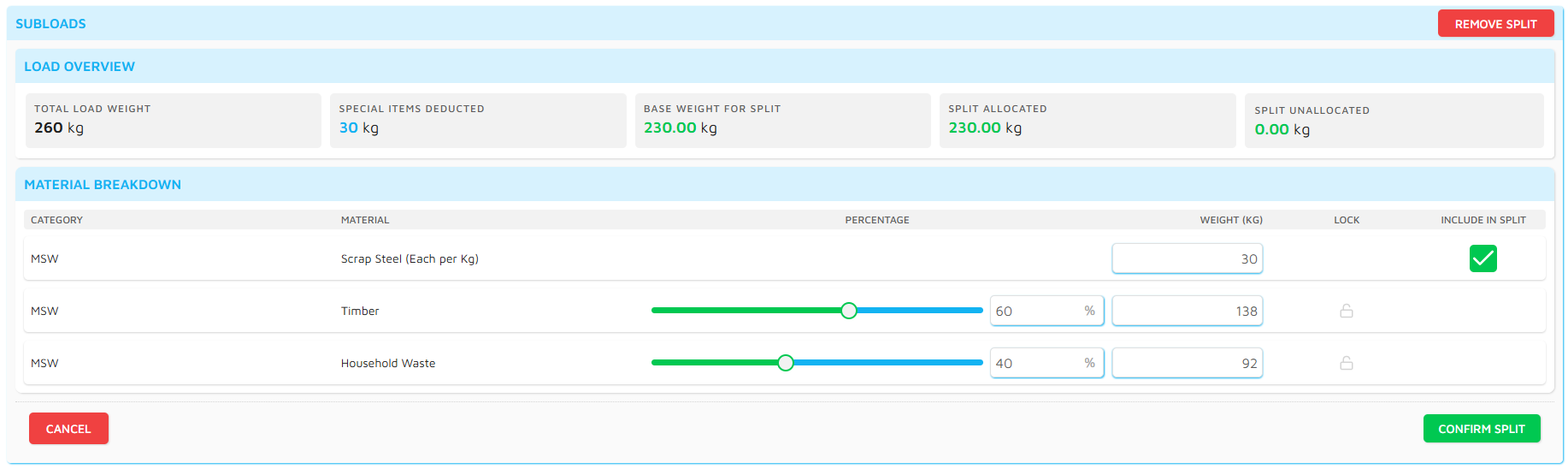
  • We now hide a few of the fields on a subload that aren’t relevant to the operator (such as cubic/tonnage conversions and regulatory charge calculations), you now need to press the MORE DETAILS button to view these fields.

Payment Reconciliations

  • You can now display multiple sites at once for a date period, instead of having to complete them per site.

  • Minor visual updates.

Bug fixes

  • When approving a timecard, the list of timecards was still showing it as unapproved until you refreshed the page. It’s now back to updating it automatically.

  • When a user had a break on their timecard, you had to remove that break before you could delete the timecard. Now you can just delete the timecard.

Coming Up Next

  • QLD Levy Calculations

  • Stockpile Management

  • Customer Portal

  • Weighbridge Scale & Number Plate Recognition integrations

December 5th, 2024

New

Improved

In this update we’re introducing Payment Reconciliations! 🥳

You can now record reconciliations for any site and any payment type, recording any discrepancies and balance on a daily basis.

We’ve also added a calculator for Cash payments, allowing the operator to quickly add cash received to get a total amount to return!

This will be the last major feature release for the year, as we continue working on some larger features through the new year. This includes;

  • Company Portal - optionally allowing your customers to login to their own portal to view a list of their loads, invoices and raise requests.

  • Refunds - allowing refunds to be taken and recorded against a payment on a load.

  • Tech automations such as weighbridge scale connection, vehicle license plate recognition and EFTPOS/Card terminal integration.

We’ll be back with some exciting updates mid-January!