Upcoming Changes to Sign In Page
Next week we are launching our new sign in options (alongside the classic username/password combination) and the ability for a user to reset their own password.
Please note these new sign in methods are all optional, and users can continue using their existing username/password as normal.
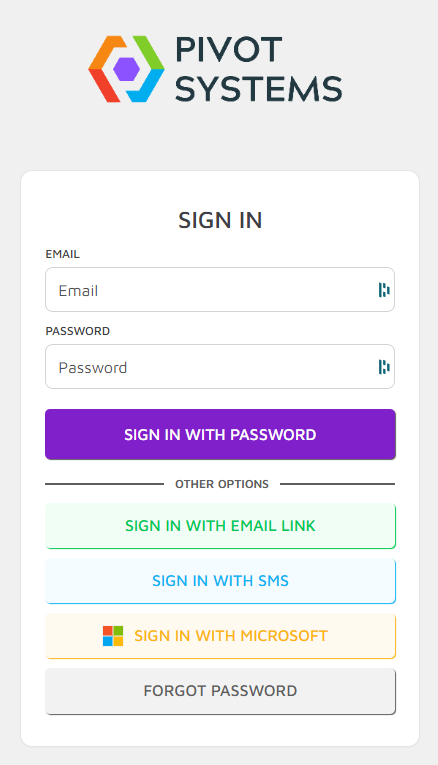
Sign in with Email Link
Users can now login by entering their email address, and instead of entering a password they will receive a ‘Magic Link’ via email that when clicked will then log them in.
Sign in with SMS
Users can now login by entering their mobile number instead of their email address, which sends them an authentication code to login.
The user must have the mobile number added to their PIVOT account before use, which an Admin can do via the User page.
Sign in with Microsoft (Microsoft 365 Work Accounts Only)
For organisations who use Microsoft 365, you will now be able to authenticate using your work account.
The user’s email must match the users account email in PIVOT, and they must already be added in to PIVOT as a user to login.
Note that personal Microsoft accounts are not able to use this service.
User Self-service password reset
In the instances where a user has forgotten their password, they can now go through the process of resetting it themselves via email.
The user will receive a link that then takes them to a new page to reset their password.
Please let your users know this change is incoming. If you have any queries please reach out to us!